Dive into our proprietary testing data and compare hardware with detailed benchmarks.
Go beyond the headlines with expert reporting on the hardware industry.
In-depth features, interviews and insider stories from the world of hardware.
When you purchase through links on our site, we may earn an affiliate commission. Here’s how it works .
The price of Acer’s Swift Go 16 AI can swing widely, and it’s a much better value when on sale. But it’s a solid big-screen portable with a nice IPS screen and lots of ports. Just check the price of the Intel option before buying, because it has OLED and may cost less.
Why you can trust Tom's Hardware Our expert reviewers spend hours testing and comparing products and services so you can choose the best for you. Find out more about how we test .
We’re so used to testing cutting-edge, top-end laptops with high price tags that a decently equipped portable that isn’t priced around $2,000 can feel refreshing. And with price increases happening seemingly everywhere, the average laptop buyer probably feels the same.
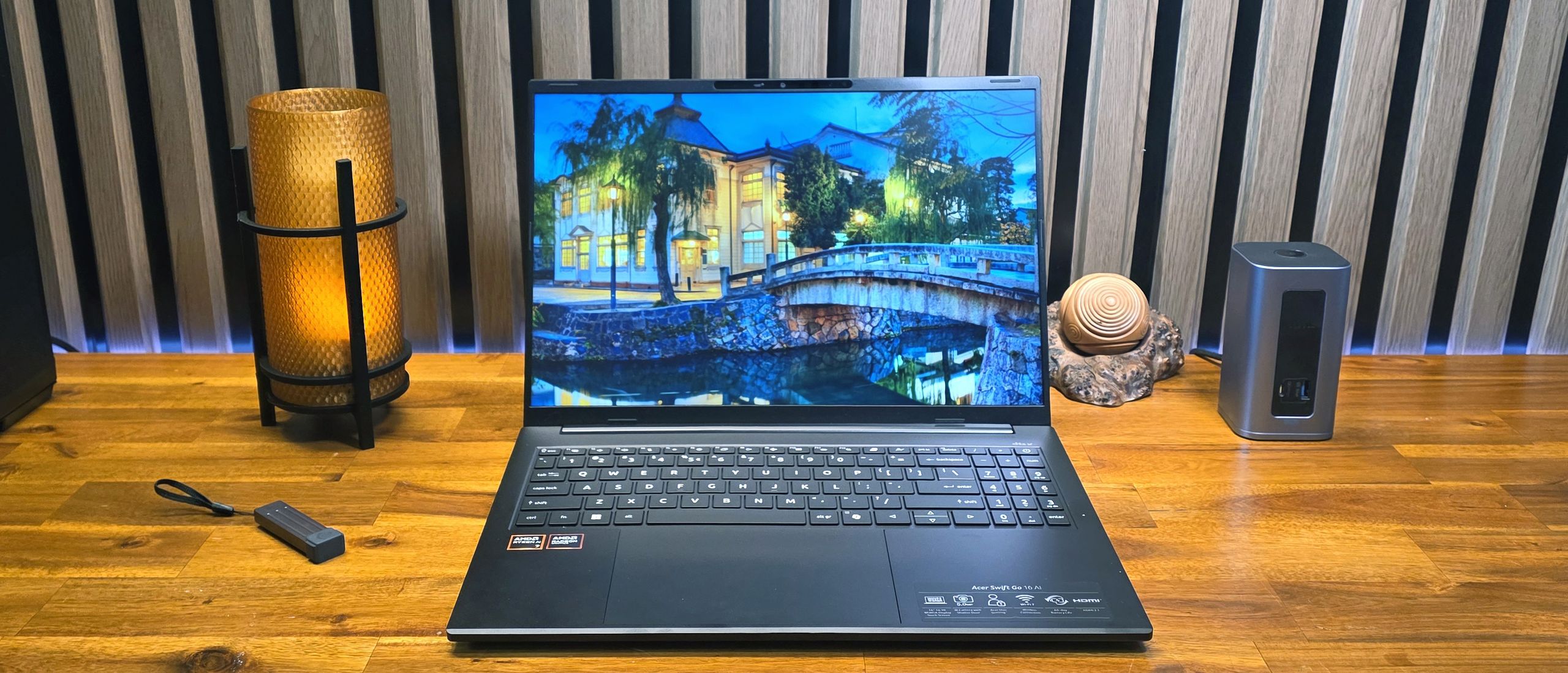
Enter Acer’s Swift Go 16 AI, a 16-inch portable with an IPS touchscreen, a premium-ish metal shell, AMD Ryzen AI 7 445 processor, and 16GB of RAM paired with 1TB of storage, plus a 7-inch (diagonal) touchpad. It won’t break any performance ground, but it was a solid deal when it was on sale for $799. At its current MSRP price of $1,149, it’s a lot harder to argue for – especially when the silver-shelled Intel-based model (which halves the storage to 512GB but ups the screen tech to OLED) was on sale for just $699 at Best Buy when I wrote this.
The design of Acer’s Swift Go 16 AI packs more positives than negatives, but it is still a mixed bag. Perhaps due to its size, it feels lighter than its 3.53-pound weight, and its aluminum shell (black with zig-zagging slim lines on the lid) puts it head and shoulders above budget offerings. It’s also fairly svelte for a big-screen laptop, at 14 x 9.9 x 0.63 inches.
Port selection is also good, with a pair of USB-C ports, a USB-A port, and HDMI on the left edge.
The right edge houses a Kensington lock slot, another USB-A port, a headset jack, and a microSD card slot.
Also here is the charging indicator light, which is an odd choice since the charging ports are on the other side of the laptop. After plugging the laptop into the charger on my test bench, I had to lean across the laptop just to see if it was charging.
The hinge also lets the screen recline all the way down to 180 degrees, although doing this makes viewing angle issues pretty apparent, as you lose most of the visible brightness.
Get Tom's Hardware's best news and in-depth reviews, straight to your inbox.
The metal shell also has more than a little flex, both on the lid and the keyboard, though I noticed it more on the lid every time I closed the laptop. The lid also developed smudges that I couldn’t wipe away, even with a damp cloth and some elbow grease, during my time with it – and for a good chunk of that time it was just sitting untouched on my coffee table. Note, though, that the smudges are a lot less visible when the laptop isn’t sitting under photography lights.
2xUSB4 (Type-C), 2x USB 3.2 Gen 1 (Type-A), HDMI 2.1, MicroSD, headset jack
Before jumping into the test results, a quick note about a unique (at least to me) issue I had when using the laptop: About half the time when I moved my hands toward the keyboard to type or launch a program, the screen would briefly dim, and then I would be kicked out to the Windows 11 login screen. This eventually happened so frequently that I thought the laptop had some sort of electrical defect, and asked Acer about the problem.
However, as I was demonstrating the issue to a colleague in the office, he wondered aloud whether my watch band might be causing it. I hadn’t thought of that, as I’ve been testing laptops for well over a decade, much of that time while wearing a watch, and have never experienced this issue before. I’ve also had the current band for my Samsung Galaxy Watch 7 for about 14 months, during which time I’ve used countless laptops to a greater or lesser degree. But the band does have a magnetic clasp on the bottom, and sure enough, as soon as I took the band off, or even put it on my left wrist instead of my right, the issue where the screen went black and kicked me out to the login screen went away.
I tried replicating the issue with my watch band and several other laptops, but could not. So the Acer Swift Go 16 AI’s lid sensor does seem particularly sensitive to magnets (I was also able to replicate the issue on the Acer using other magnets and the magnetic band from someone else’s Apple Watch). But it’s a quirk that will mostly plague left-handed people who have magnetic watch clasps – or the odd people like me who wear their watch also on their right wrist.
We tested Acer’s Swift Go 16 AI in its sole AMD-based Best Buy configuration, sporting a Ryzen AI 7 445 (Gorgon Point) CPU and integrated Radeon 840M graphics, as well as 16GB of LPDDR5X RAM and a 1TB SSD.