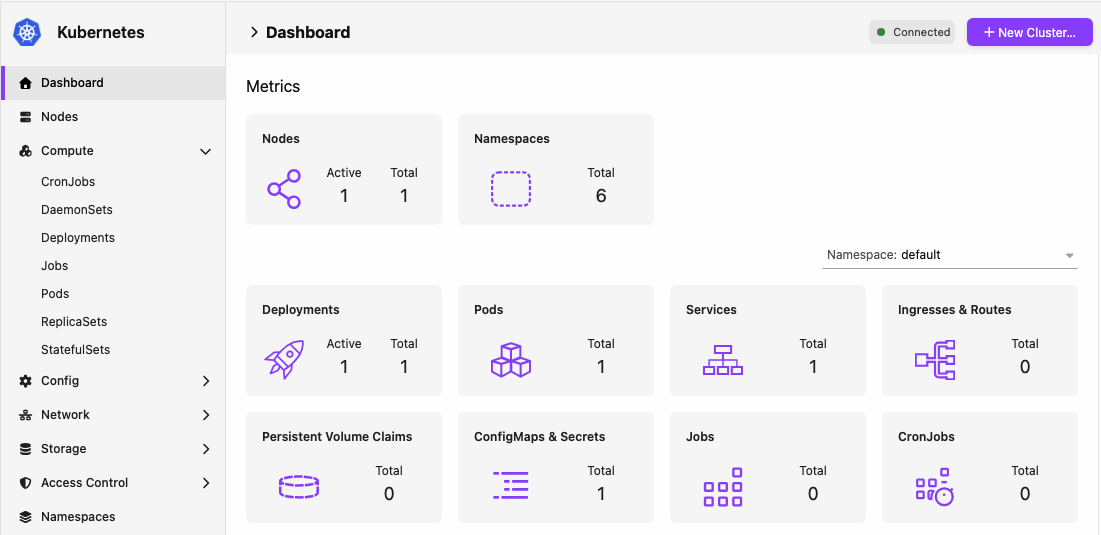
Kubernetes Extension Pack for Podman Desktop Release! 🎉 This Kubernetes Extension Pack release includes Kubernetes Dashboard v0. 0, Kubernetes Contexts v0. The new releases have been added to the catalog. If automatic extension updates are enabled (the default), Podman Desktop updates already installed extensions automatically. If you have not installed the extensions, open the Extensions > Catalog page, search for the Kubernetes Extension Pack or for Kubernetes Dashboard, Kubernetes Contexts, and Kreate, and install them.
Podman Desktop is moving Kubernetes dashboard and context management from core into extensions so they can evolve and release independently of the desktop app. The Kubernetes Extension Pack remains available in Podman Desktop's catalog, making the full set easy to install while letting you choose individual extensions. The Kubernetes Dashboard extension also exposes Kubernetes resource data through an API that other extensions can use. Installing either Kubernetes Dashboard or Kubernetes Contexts disables the corresponding feature in core.
The built-in features will not evolve and will be removed in a future release, so we recommend switching to the extensions for new features. Kubernetes Dashboard now includes a dedicated Apply YAML page. Open it from the Apply YAML button on resource list pages to apply manifests to your cluster without leaving Podman Desktop. You can apply YAML in two ways: select a . yml file from disk, or write custom YAML from scratch in the built-in editor. Choose the Kubernetes context to apply to, then run the apply action. The dashboard creates new resources on the cluster.
If an existing resource uses a supported built-in Kubernetes API, it is updated with a strategic merge patch ( Content-Type: application/strategic-merge-patch+json ). That patch type is not supported for CustomResourceDefinition APIs, so existing custom resources are not updated. When the apply completes, you get a summary of how many resources were applied and of which kinds. You can still patch an existing resource from the YAML tab on its details page, including custom resources the dashboard shows such as Gateways.