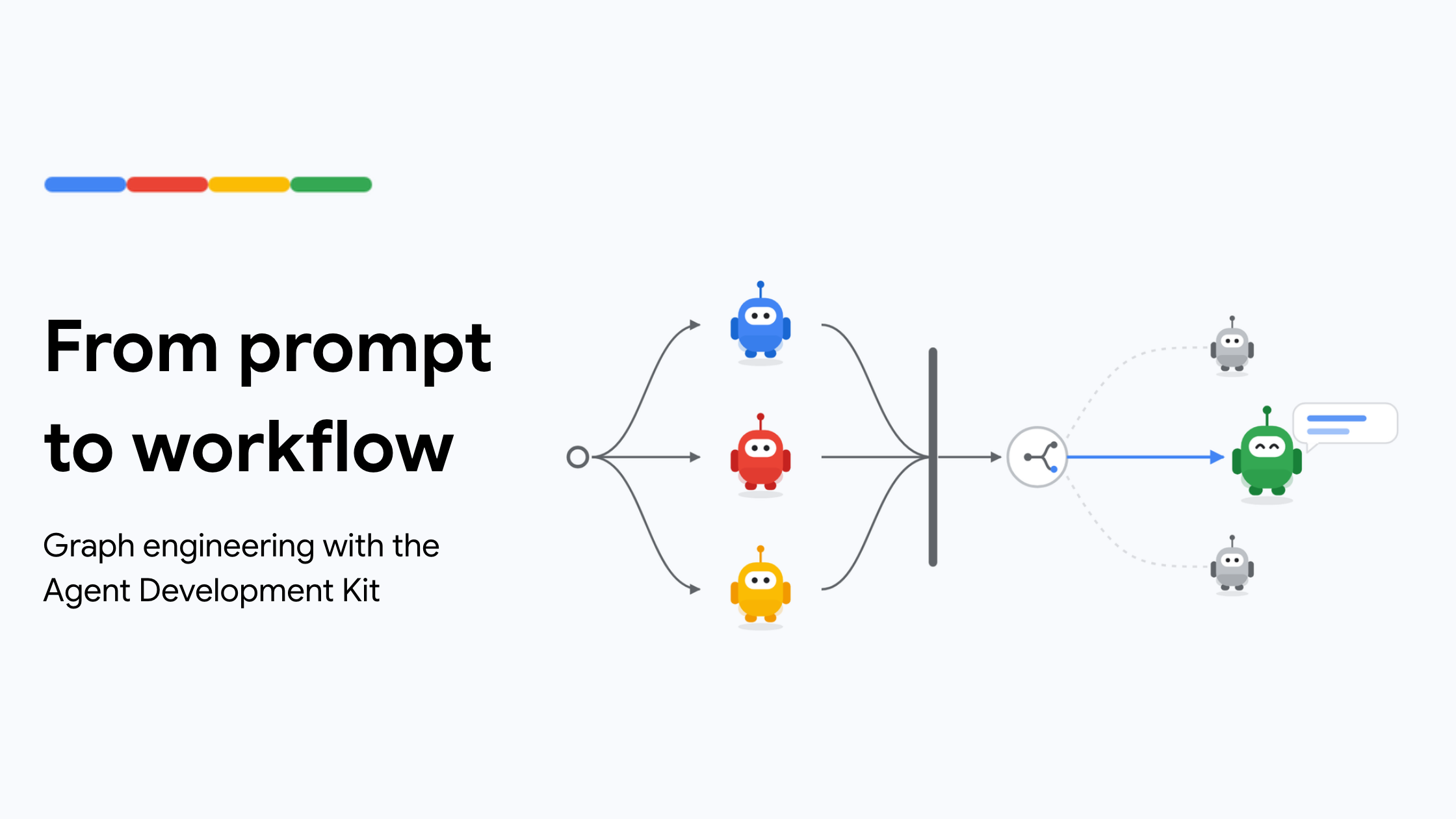
Graph engineering is the design work: breaking a task into nodes, connecting them with edges, and deciding where code, models, or people control the next step. The Agent Development Kit (ADK) 's Workflow turns that design into an executable process, with functions and agents doing the work. Through a refund example, this post shows how to run steps in parallel, route decisions, pause for human review, and process a list of cases. It also explains when to declare the paths in a static graph and when to let Python schedule further work as results arrive.
TL;DR: Using a refund workflow in ADK, we'll cover fan-out and fan-in, deterministic and agent routers, human-in-the-loop pauses, parallel workers, and dynamic orchestration— along with when to use a static graph or let Python decide what runs next. We can give one agent the tools and instructions to handle the refund request from start to finish: This puts the model in charge of choosing the tools, applying the policy, and writing the reply. But the prompt already describes distinct pieces of work: three lookups, a decision, and a response. Making those pieces separate nodes lets us decide how each should run.
Assume the customer has selected an order and clicked “Request refund. ” The app knows the order ID, so the workflow can begin with the lookups. The order, payment, and refund-history lookups all need the order ID, but none needs another lookup's result. Although the prompt lists them one after another, there is no reason for them to wait for each other. We can run all three in parallel. The policy decision is different: it needs all three records. So the workflow splits into three paths, then brings their results together before continuing. These two moves are called fan-out and fan-in .
In ADK, the lookup functions can become nodes directly. A nested tuple starts them together, and a JoinNode waits for their results. First, the imports and a lookup signature: Each lookup receives the order ID through node_input and returns a dictionary. We can connect them like this: Read this from left to right: start all three lookups, then continue through join_case once they finish. The join returns a dictionary keyed by node name. The next node can read node_input["fetch_order"] , node_input["fetch_payment"] , and node_input["fetch_history"] without a model call to collect the results.