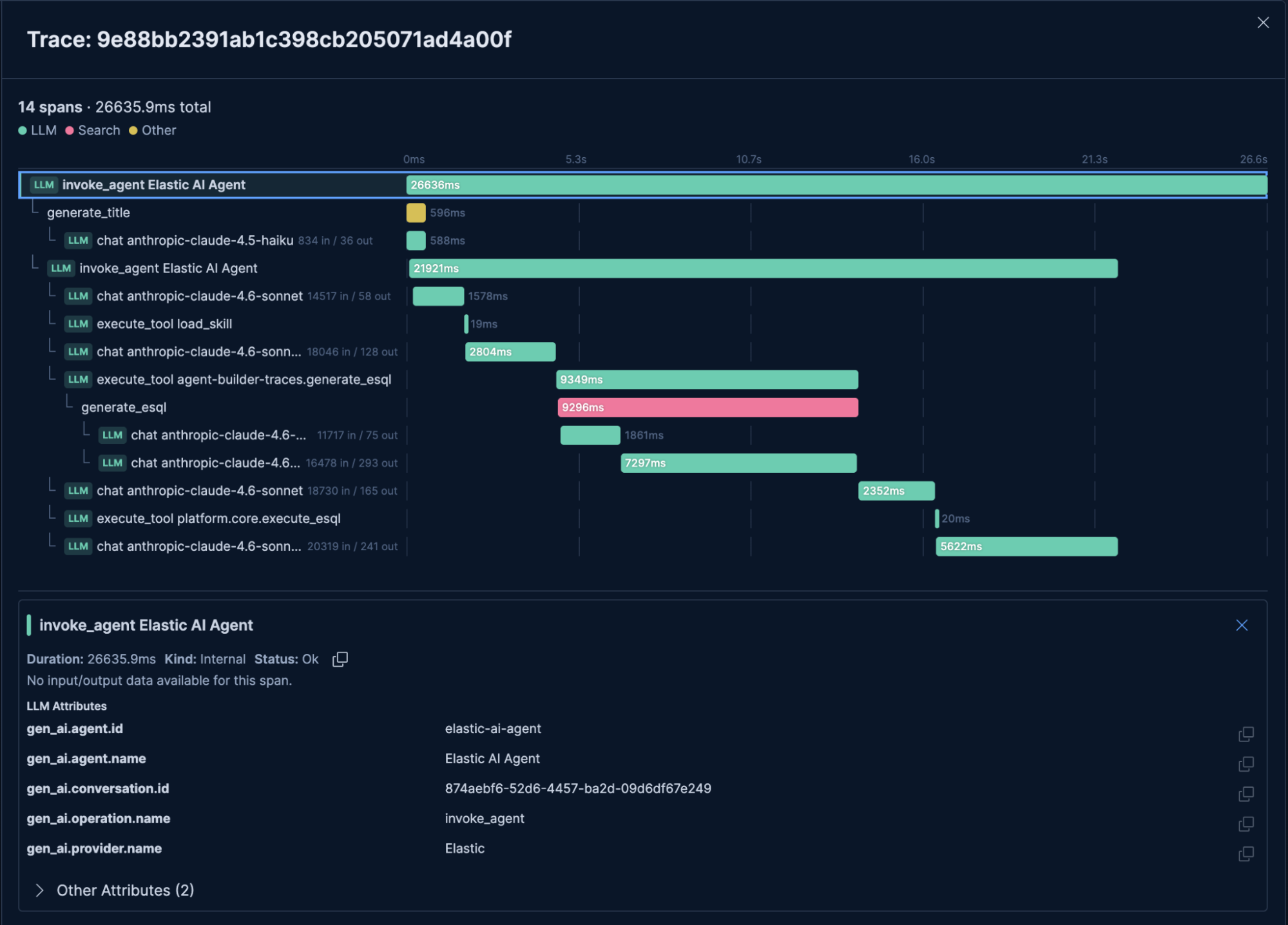
Your Agent Builder agents already log every LLM call as an OTel trace, and that agent tracing data can power token cost dashboards and budget alerts before one runaway conversation quietly wrecks your month. Every Elastic Agent Builder conversation already generates a full OpenTelemetry trace. LLM calls, tool executions, token counts, all logged by default into Elasticsearch data streams you can query with ES|QL. Most teams don't look at this data until something breaks, which means they're sitting on usage trends, latency bottlenecks, and cost signals they could have caught earlier.
This post covers how to build token cost dashboards in Kibana, set alerts that fire when a conversation blows past 256,000 tokens, and use the waterfall timeline to see exactly where your agent spent its time. When your agent runs, Agent Builder records everything that happened as an OpenTelemetry (OTel) trace . Think of a trace as a receipt for a single conversation turn. Every LLM request, tool call, and agent action is recorded as an individual span in Elasticsearch, which is a unit of work or operation.
When opted in, additional details like user prompts, LLM responses, tool outputs, and conversation IDs are captured as structured span attributes on the chat span. All of this is scoped to your Kibana space. To begin capturing trace data, ensure the following toggles under Agent Traces in Gen AI Settings are active within your environment: agentBuilder:tracing:enabled — This gen AI setting manages the collection of traces and is enabled by default. Advanced privacy controls, located under the default tracing toggle, also let you collect message content.
While prompts and tool outputs are masked by default, you may choose to enable them to support more robust traces: agentBuilder:tracing:includeRealNames : Retains real agent/tool names instead of anonymizing to custom agentBuilder:tracing:includeRealIds : Retains the actual conversation identifiers instead of the default hashed versions. This means trace data collects original IDs, which can link traces to specific user sessions (PII). Only enable these if you understand what data your agents handle and have appropriate data governance in place. The Agent Builder utilizes OpenTelemetry semantic conventions.