Ingest cumulative and delta OpenTelemetry metrics under the same metric name while ES|QL and PromQL queries auto-detect temporality per series, with no new syntax or conversion pipelines required. 5 natively stores both cumulative and delta OpenTelemetry (OTel) counters and histograms, even when mixed for the same metric name. You ingest via OpenTelemetry Protocol (OTLP) and Elasticsearch preserves the temporality metadata automatically.
ES|QL TS and PromQL queries detect the temporality per series and interpret the data correctly, without new syntax, configuration changes to your OTel SDKs or stateful OTel Collector conversion. Existing queries and downsampled data continue to work as expected. Metrics stores usually receive client-side, pre-aggregated metrics. For example, if an application records request response times, it won’t send each individual response time as a single data point to your metrics back end. Instead, the application (or rather the OTel SDK) pre-aggregates those raw response times into counters or histograms.
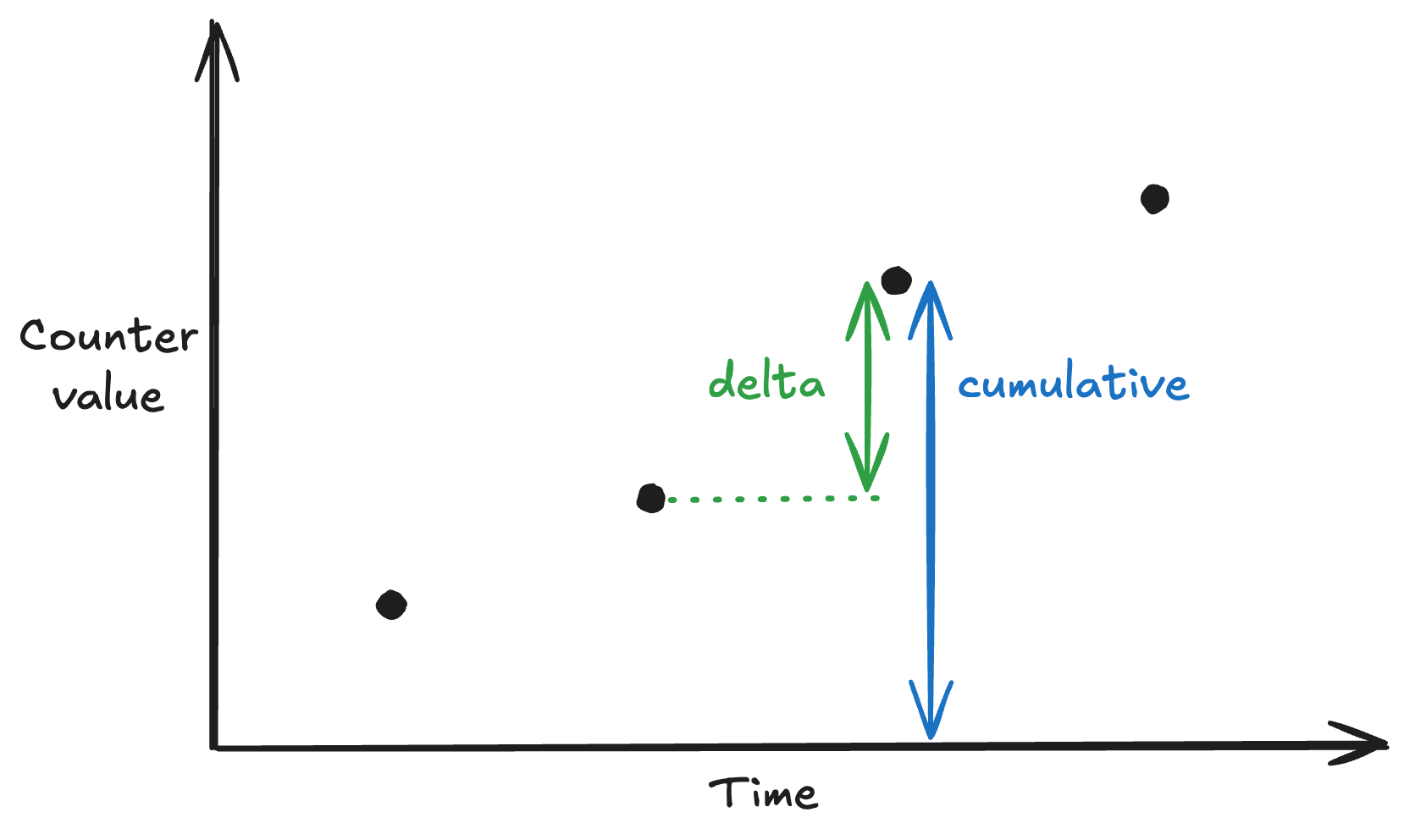
These pre-aggregated values are then exported at a periodic interval, dramatically reducing the number of data points. Temporality is about how this pre-aggregation works. There are two temporality models: cumulative and delta . With cumulative temporality , each data point represents the total amount of change in the metric value since the process started. Values monotonically increase, with occasional reset to 0 (for example, when the process restarts). Take a counter tracking the total CPU time consumed by a Java Virtual Machine (JVM): To compute the rate of change between 10:01 and 10:02, we subtract: 13.
7s of CPU time was consumed in that interval. Dividing by the time range of the interval gives us the rate . This is the default temporality for counters in both Prometheus and OTel. With delta temporality , each data point represents the change since the last measurement. Values are independent of each other. In other words, after each export, the OTel SDK resets all values for all series. The same raw observations from the cumulative example above would look as follows with delta temporality. To compute the rate or increase, we can use the value directly, without any subtraction.